Center Meditation Timer
A simple timer, considered in the details
- Role
- Founder, designer, developer
- Year
- 2026
- Summary
- Center is a meditation timer. The hard part was making it more capable without making it more distracting—adding what people asked for without betraying the quiet thing the app exists to protect. I rebuilt it from scratch around a single question: how little can I add while still making the practice easier to sustain?
Center is free, and available for macOS, iOS, visionOS, tvOS, and watchOS at centertimer.com.
Center started from a personal need
I’ve come to find that most meditation apps want to sell you mindfulness rather than help you find it. Subscriptions, audio guides, background music, streaks to protect, achievements, push notifications nudging you back—so many mechanisms that seem to exist for the app’s benefit rather than the user’s.
That’s never sat right with me.
I learned early in my own meditation practice that mindfulness is ultimately about sitting quietly with your own thoughts; the truest version doesn’t need an app at all. But I’ve come to believe there’s room for a small amount of technical support: a timer, a chime, a gentle reminder, maybe a way to notice how your practice changes over time.
So I built Center.
At its core, Center is “just” a meditation timer. And that’s exactly what makes it interesting to design: even something this simple can either support a person’s practice or quietly interrupt it.
The question behind Center has always been “how little can I add to a mindfulness app while still making the practice easier to sustain?”
Rebuilding the app from scratch
I originally built Center in 2018, in Objective-C. Eight years later, in 2026, I decided to rebuild it from scratch for a 2.0 release. This time with everything I’d learned in the years since: from my own practice, from maintaining the app, and from the people who use it.
The goal of the rebuild was not to turn Center into a bigger wellness product. I had no interest in making it feel like the meditation apps I’d avoided in the first place.
I wanted to make Center better while keeping it true to what made it useful. That was the hard part.
A meditation timer should feel simple. But people approach meditation in wildly different ways. Some want interval sounds. Some care about streaks and statistics. Some want all of that hidden completely. Some sit in silence; others prefer their own music or ambient sound. Some practice every morning and want a reminder. Some want to meditate wherever they happen to be—on a cushion at home, in front of a computer at the office, or on the couch at the end of the day.
So the challenge became: how do I support so many different needs without making Center feel bloated?
The original version had two separate areas: settings and statistics. Over time, that separation started to feel wrong. The way you configure your practice and the way you reflect on it actually shape one another.
If you notice you tend to sit in the morning, maybe that helps you decide when to set a reminder. If you care about consistency, maybe you want a streak in view. If statistics feel distracting, maybe you’d rather not see them at all.
So in Center 2.0, I brought those things together into a single Overview screen.
The Overview lets you adjust duration, sounds, reminders, color scheme, syncing, and other preferences. It also lets you choose which parts of your practice you want to see—a chart of activity, time sat today, total time practiced, your current streak, and more.
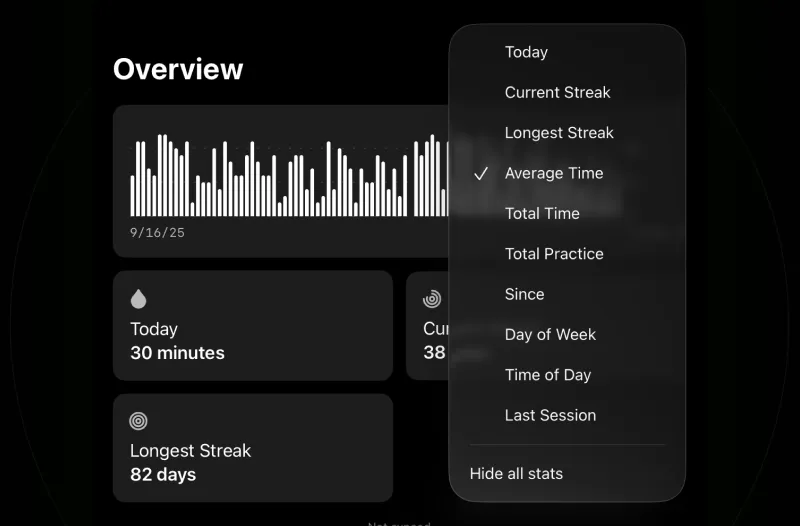
I knew customization mattered, because no two practices are exactly alike. But I didn’t want customization for its own sake. The point was to let the app fit the practitioner, not to force the practitioner to fit the app.
Trying to keep complexity quiet
There’s always a pull to add more to software—especially now, when building things has gotten faster and easier with AI. And when users send thoughtful emails asking for just one more feature, it’s tempting to keep saying yes.
But I try to stay principled about my work.
Center can grow more capable, but it can’t betray the reason it exists. That meant I needed a design system that could carry more functionality without making the app feel noisy.
The system I landed on leans on a clear set of tiles. Settings are thinner rows; informational tiles are a bit larger; statistics are larger cards still. Bold text signals what’s tappable or actionable. Lighter text carries supporting information. Some settings include a small bit of metadata or explanation, and some don’t—a technical setting like Sleep Mode, which keeps the device awake during a session, needs more explanation than something as obvious as a sound preference.
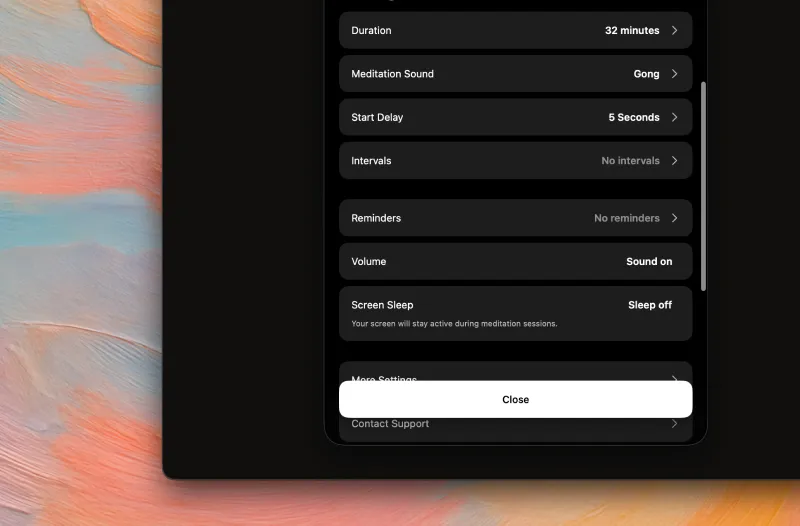
Those details are small, but I think they matter. They help people understand what they can do without having to stop and study the interface.
In a recent update I also added search to the top of the settings experience, because there’s now a lot the app can do. I made it fuzzy search, too, since people don’t always think about settings in the same words I do. Someone searching for “gong” should land on sound settings, even if I never labeled that section that way.
That felt important. The app shouldn’t make people learn my taxonomy just to shape their own practice.
The main screen
When someone opens Center, I want the app to feel immediately obvious.
The main screen is built around a single large, round Start button. It fills the screen and gives the app one clear focus. If you’ve already set your duration and preferences, you can open the app, tap, and begin. No setup screens, no recommendations, no extra decisions to make.
And if you’ve never used Center before? You can still start a session right away.
At the bottom are two small tiles. One shows how long your session will be. The other is customizable—it shows whatever you’ve placed first in your Overview, “time sat today” by default. Both open the Overview sheet, but they offer just enough context to keep the main screen useful without turning it into a dashboard.
Behind the Start button, rings of multicolored circles drift slowly around the screen. They’ve been part of Center since the very beginning—a symbolic stand-in for the busyness of life: the thoughts, obligations, and noise constantly pulling your attention in every direction.
When you tap Start, the rings drift inward until they converge into a brief white outline, and then disappear as the session begins. It’s a small visual “centering.”
It’s a tiny detail, but a lot of people have mentioned it. It gives the app a moment of transition. You’re not just pressing a button—you’re moving from whatever you were doing into your practice.
I spent time on how elements animate in and out, too. The app is simple, but I wanted it to carry a soft playfulness. When the Overview sheet opens, it rises from the bottom and the tiles and buttons follow with a slight delay. The labels on the main screen line up with where those same ideas appear in the Overview.
Most people never consciously notice this. But those subtle spatial relationships help them understand what’s happening. The interface teaches itself a little, through motion.
The session experience
When a session starts, almost everything disappears.
No text. No extra buttons. No settings. No stats.
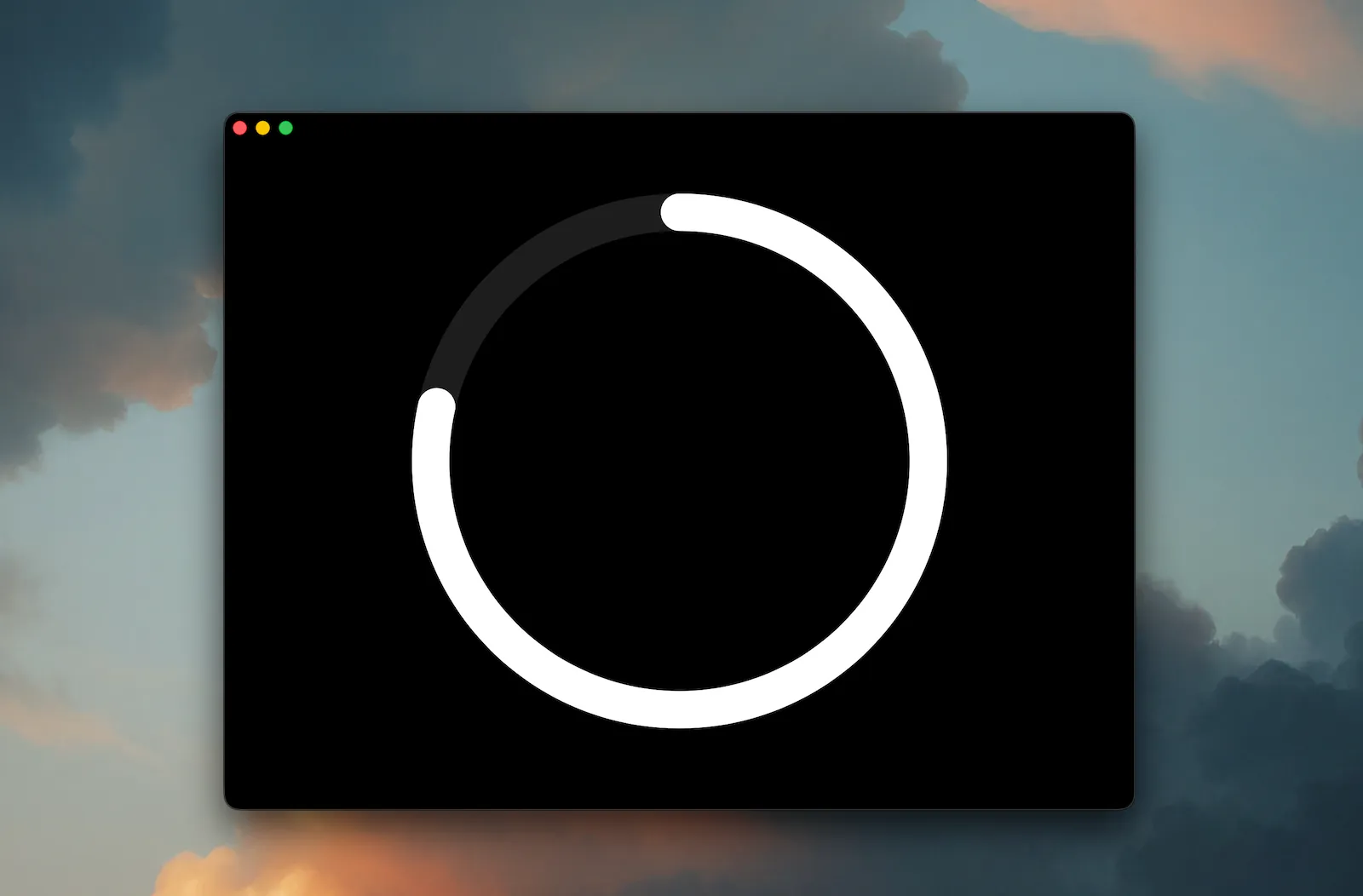
All that remains is the outline of the large circle, showing how much time has passed and how much is left.
That’s intentional. Once you’ve begun, the app shouldn’t be asking for your attention. The only thing it should be saying is: be here, in this moment.
Tapping that same circle ends the session. I wanted the interaction model to stay as simple as it possibly could.
You can also add interval sounds to a session—subtle cues to re-center or return to the breath during a longer sit. The visual design of those intervals took a while to get right. My early attempts felt too loud, too distracting; they made the timer feel more like a productivity tool, or a timeline of tasks.
The final design uses small gaps in the circle to mark where intervals fall: a small break in the visual form to represent a small break in attention. It’s visible, but it doesn’t demand anything of you.
The app also supports haptics, background use, device sleep behavior, and soon Live Activities—so you can lock your device or let it sleep and still keep track of your session. That fits the larger idea behind the app: Center should hold the structure of a session without making the device itself the center of attention.
Knowing what not to add
So much of designing Center comes down to what I choose not to build.
People have asked for background sounds. That’s a clear no for me—it goes against the original intention of the app. I don’t want Center to become another content library, another wellness media product.
But other requests have genuinely changed how I think.
For a long time, I didn’t want to let people play their own music or audio during a session. I had a stricter idea of what Center was for: “true” practitioners, and true practice meant silence.
Over time, though, I realized that serious practitioners meditate in all kinds of ways. Protecting the purpose of the app is not the same as forcing everyone to practice the way I do.
So in Center 2.0, you can put the app in the background and play Spotify, Apple Music, YouTube, or whatever else you like while you meditate.
Center doesn’t provide the sounds. It doesn’t become the content. But it makes room for people who bring their own environment into the practice.
That’s the balance I keep trying to find with the app: stay principled, but don’t become rigid.
Preserving people’s practice history
The hardest part of the rebuild, by far, was data migration.
The early version used a custom data structure for managing sessions. For 2.0, I wanted to move to something more reliable: Apple’s native SwiftData.
The easy path would’ve been to ship the new version as a standalone app, or to simply start everyone fresh. But that didn’t feel right.
Some practitioners are serious about their data. If someone has used Center for years, their history means something. It represents time spent sitting, returning, building consistency—maybe starting over after falling away from the practice for a while.
Losing that wouldn’t just be annoying. It would break trust.
So I committed to supporting migration from older versions. I built 2.0 on SwiftData as its foundation, then designed a migration assistant that runs automatically. When someone opens the updated app, they’re greeted with a simple dialog explaining what’s new—and by the time they finish reading it, the migration is already done.
The user never has to know what changed underneath. No exporting, no importing, no complicated decision to make. The app just handles it, quietly.
That was stressful to get right. But it was clearly the right call. If the app is going to respect the practice, it has to respect the history of that practice too.
Listening to users
Early in my indie career, I learned the value of giving people an easy way to reach you.
So in Center—as in most of my apps—there’s a one-tap way to email me directly.
That’s how I get most of my feedback. People write to request improvements, report bugs, or tell me about edge cases that might only affect them. Being responsive to those emails makes the app better, but it also shows people that they matter to how it gets made.
Sometimes I’ll ship an update for someone who emailed about an issue, and the next thing I know they’ve sent the largest donation the app allows.
That means a lot to me.
By replying to people, I hope I humanize the app a little. Center isn’t just another piece of software asking for your attention or your money. It’s a tool made by a real person—intentionally, thoughtfully—for real people.
The reviews say much the same thing, which is part of why they’re so encouraging. They describe exactly what I hoped Center would be: a simple, to-the-point mindfulness timer. Hearing that the simplicity is what people value most is heartening.
The emails and reviews are a big part of what keeps me working on it. That, and the fact that I still use it every day myself.
What Center taught me
Center is, ultimately, a timer.
But that’s exactly what makes it a good design project.
It’s a reminder that even something small and seemingly simple can be deeply considered. A timer can be careless, cluttered, distracting, extractive. Or it can be quiet, powerful, respectful, and calm. The difference lives entirely in the details.
Center looks simple on the surface, but there’s a lot underneath: the way a session begins, the way information appears and disappears, the way intervals are represented, the way settings are organized, the way data quietly migrates, and the way the app stays free while donations act as a quiet signal that it’s worth continuing.
My goal was never to make meditation more engaging, or more commercial.
The goal was to add just enough technical support to be genuinely helpful—without getting in the way, becoming a distraction, or making mindfulness feel like something being sold back to people.
That’s what I want Center to be: simple, effective, and considered in the details.